Ember

Your servers.
In full view.

Dark or light. A clear view of everything that runs.
Meet Ember, a native Pterodactyl theme by Embedary.

Version 1.0.0 · Pterodactyl 1.15.1 · Public preview available
12accent palettes
16interface languages
01place for your servers
Ember client interface · illustrative server readings and records.
A CLEARER VIEW OF YOUR SERVERS

Everything
at the top.

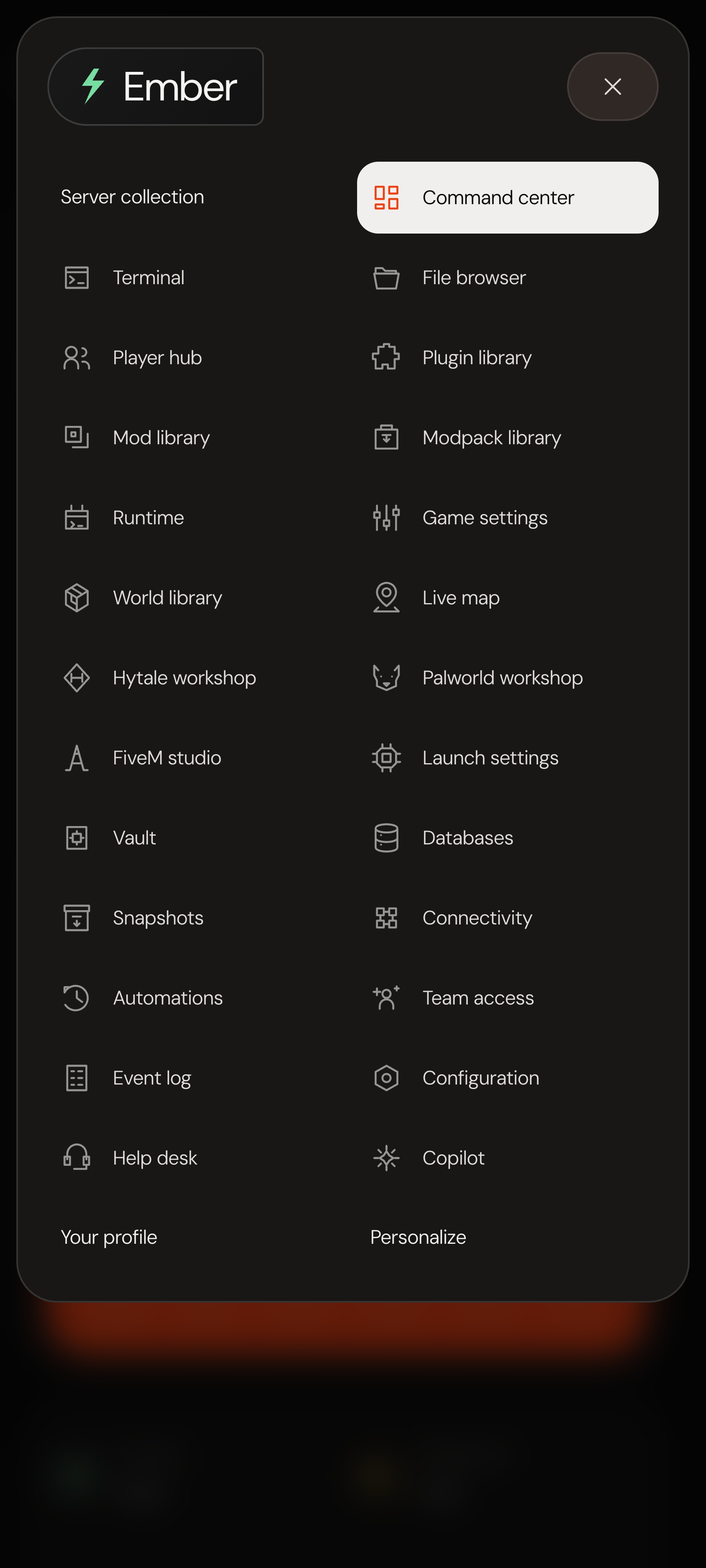
Your server tools sit in a single, simple menu. Move from the overview to a file, check the console, then get back to your day.

Ember fills the screen with graphite surfaces and a vivid orange performance canvas. Switch to a true white mode, keep the accents you like, and let the fine DM Sans typography give the data room to breathe.

Underneath, it is your Pterodactyl installation: your accounts, permissions, database and Wings connection. The administrator area remains available.

THE INTERFACE

Take your time.
Look around.

32 views of the compiled Ember interface.
Sample data, clearly labelled.

Workspace

Command center

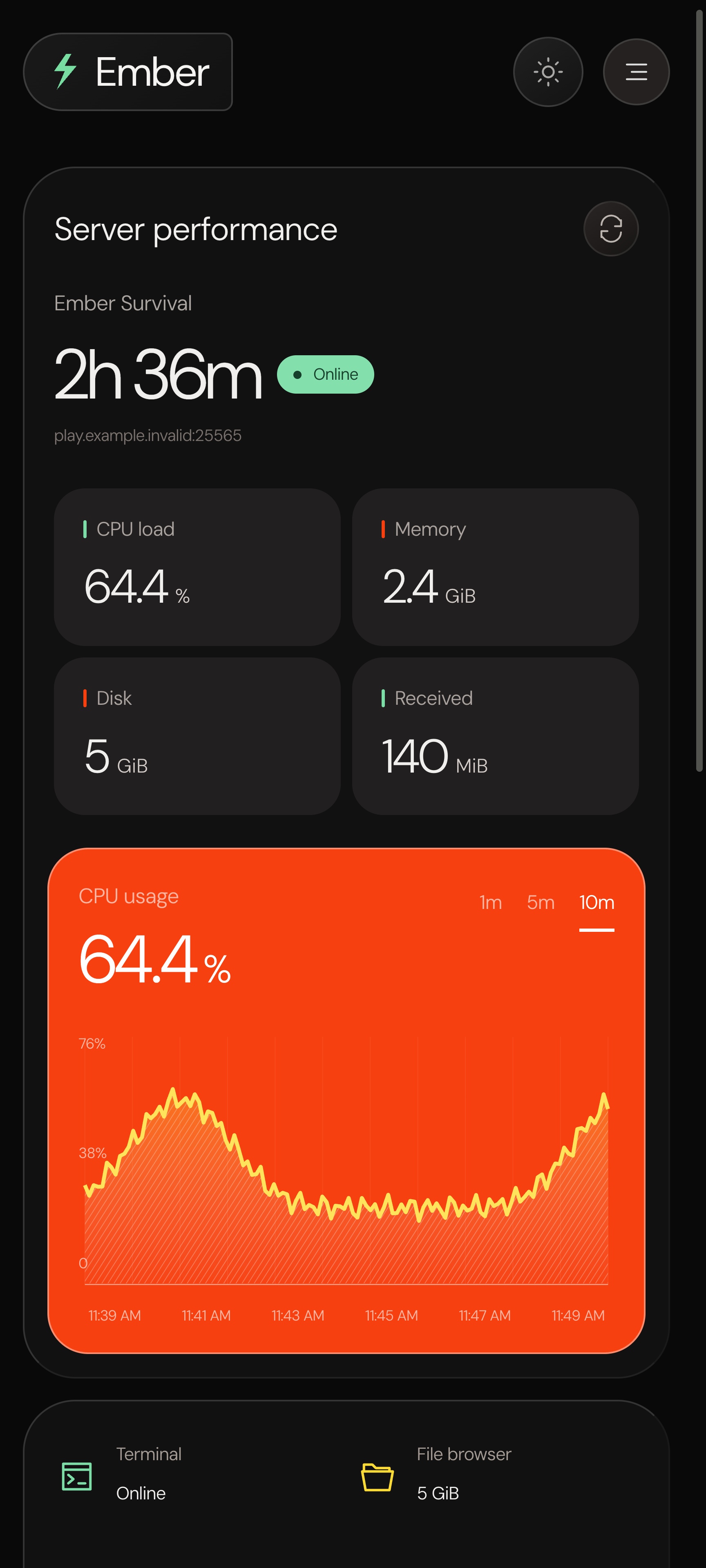
CPU, memory, disk, power controls and the tools you use most. The native theme reads actual Wings resources; these captures use sample data.

Open this workspace

The public demo uses this client interface with illustrative records. It cannot control a real server. Demo appearance choices are saved in your browser.

01 / EVERYDAY TOOLS

The small changes.
The next big idea.

Open your console, find a configuration file or check the latest backup. The tools you already use share one visual language.

  • Console output, power controls and live server readings.
  • Files, editing, uploads, archives and SFTP information.
  • Databases, backups, schedules, subusers and allocations.
Explore the file browser
A dedicated view for server output and commands.
Your backups, with the controls that belong to them.
02 / YOUR COMMUNITY

A closer look
at your world.

Read saved Minecraft Java player data, inspect an inventory and keep properties and world directories close. Browse extension catalogs and check a release before downloading.

FiveM has its own configuration and resource view. Hytale and Palworld catalog pages use your authorized CurseForge key.

Game-specific tools require compatible server files and permissions. Player data reflects the latest world save; modpack deployment and dependencies are not automated.

Catalogs, versions and installed files.
A workspace for FiveM configuration and resources.
03 / A LITTLE CONTEXT

A question.
A place to keep it.

Support conversations stay with the server. Private assistant threads let you pick up where you left off, and a built-in guide helps you find the right page.

Optional AI replies use the administrator’s OpenAI key and model. Usage costs are separate, and the assistant cannot execute server actions.

For sensitive values, the owner and administrators have an encrypted secrets manager with explicit reveal controls.

SETTLE INTO YOUR SPACE

Dark or light.
Always your space.

Switch between dark and white modes.
Twelve accent palettes. Eleven locally hosted fonts.

At home on a smaller screen.

On mobile, the top menu becomes a compact drawer. Cards stack naturally, forms stay readable and each workspace keeps its own breathing room.

Appearance preferences are saved to your Pterodactyl account. Demo choices are saved in your browser.

Ember overview on mobileEmber mobile navigation drawer

A familiar language.

Sixteen interface languages. Messages, server logs, files and external catalog descriptions keep their original text. Translation dictionaries are included and editable.

EnglishFrançaisBahasa IndonesiaČeštinaDanskDeutschEspañolItalianoNederlandsPortuguêsPortuguês (Brasil)SvenskaTürkçeРусскийहिन्दी한국어
EMBER / VERSION 1.0.0

What comes
with your theme.

An installation package for your own panel, with the source and instructions to look after it.

Native theme

The client area, authentication screens and integrated workspaces shown here. Real operations use your Pterodactyl services and permissions.

Ready to install

Precompiled browser assets, editable theme source and locally hosted fonts. No production Yarn build required.

A way back

Python installer with compatibility checks, file backups, update, restore and uninstall commands. Keep your own panel and database backup too.

The practical details

English and French installation instructions, feature prerequisites, verification notes and dependency licences.

BEFORE YOU INSTALL

Made for your
existing panel.

PanelPterodactyl 1.15.1, unmodified
Wings checked1.13.3
InstallerPython 3.9+
Hosting & game serversProvided by you

Your normal PHP, database, web server, queue and cron services must already work. Existing themes and frontend extensions are not merged automatically.

Read the installation guide
A RESOURCE BY EMBEDARY

Ember for Pterodactyl

Explore the public preview.
Purchasing is not open yet.

$39USDTry the live demoPlanned launch price. Sales are not open yet.
Final marketplace terms will apply.

A few good questions.

From finding a resource to making it yours.
Here are the details that matter.

Still curious? Get in touch
Is Ember a native Pterodactyl theme?
Yes. Ember installs into an existing, unmodified Pterodactyl Panel 1.15.1. It includes compiled assets and editable source. It does not provide hosting, game servers or a billing storefront.
Does the demo need an account?
No. Select “Se connecter” on the preview welcome screen to enter. The preview uses sample records and blocks data changes, uploads, messages and commands. It uses the compiled Ember client interface, with a static preview layer in place of a running panel.
Which games does it support?
The common console, files, backups and account tools follow the eggs configured on your panel. Dedicated tools are provided for Minecraft Java and FiveM; Hytale and Palworld catalogs need an authorized CurseForge key. Game servers, eggs and third-party plugins are not bundled. Every game release has not been individually tested.
Do I need an AI subscription?
No. The predefined navigation guide works without an AI key. Optional OpenAI responses need the administrator’s own API key and model, with separate usage charges. The assistant cannot run commands or operate your server.
Can I install it beside another theme?
Ember replaces the client-area theme. Its installer targets a clean Pterodactyl 1.15.1 installation and refuses conflicting protected files. Back up your panel and database and remove the previous theme according to its instructions first.

Your next idea.
A better starting point.

Explore resources

Ember